How to Choose the Best H200 AI Server Manufacturer

Time:2026-11-02 Author:Isabella
0%

Choosing the right H200 AI server manufacturer is not just a matter of comparing GPU counts. The H200’s 141 GB of HBM3e memory and high memory bandwidth can support demanding AI workloads, but only when the full system is designed well. Cooling, power delivery, networking, and software integration all shape real performance. Small details matter. A poorly planned rack can turn an impressive specification sheet into an expensive bottleneck. NVIDIA CEO Jensen Huang has said, “AI is the most powerful technology force of our time.” That makes dependable infrastructure more than a purchasing detail; it is part of putting AI systems to practical use.

This outline explores how to assess a h200 ai server manufacturer through evidence, not slogans. It considers GPU configuration, thermal design, workload testing, compatibility, lead times, warranty terms, and technical support. Ask for measured results under workloads resembling your own, along with clear details on power draw and cooling requirements. Check whether the manufacturer can explain its network design and help plan deployment beyond the server chassis. A polished demo is useful, but it cannot answer every operational question. I would also ask how support works during a failure, when minutes matter and the rack is already warm. No vendor is perfect. That is worth remembering. The strongest choice is usually the one that documents trade-offs plainly, validates systems consistently, and can support your team after delivery—not merely the one with the biggest headline number.
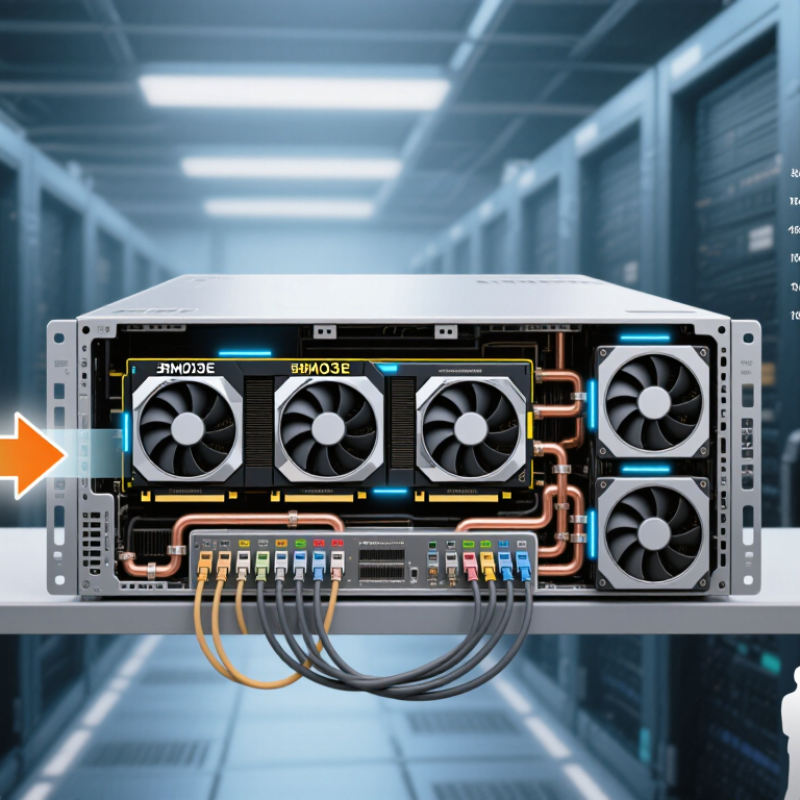
How to Choose the Best H200 AI Server Manufacturer

Understanding the H200 AI Server Platform and Its Core Components

An H200 AI server is more than a set of accelerators. Its performance depends on how the GPUs, host processors, memory, storage, and network work together. The GPUs handle parallel workloads, while CPUs coordinate data movement and system tasks. High-bandwidth accelerator memory helps keep large models close to compute resources. Fast local storage can reduce delays when loading datasets and checkpoints. Small mismatches matter.

The platform also needs suitable power delivery and cooling. Dense workloads can produce sustained heat, so review airflow paths, fan capacity, and operating conditions—not just peak power figures. A server’s internal interconnect affects communication between accelerators; its external network matters when jobs span multiple machines. Firmware and monitoring tools help operators detect faults and track temperatures, power use, and utilization. Peak specifications alone do not show how a system behaves during a long training run.

Tips: Ask for workload-based test results, not only theoretical throughput. Check supported memory configurations, network options, rack requirements, and service access. Confirm how components can be replaced. Leave room for growth, but avoid paying for capacity your workloads cannot use. One tradeoff may remain: a configuration that excels at training may not be the most efficient choice for inference. Recheck assumptions before purchase.

Understanding H200 AI Server Memory Scaling

A server’s accelerator count determines its total high-bandwidth memory (HBM) capacity. The chart shows the theoretical aggregate capacity when each GPU contributes 141 GB of HBM3e.

Values are calculated from 141 GB per GPU: 1, 2, 4, and 8 GPUs provide 141, 282, 564, and 1,128 GB of aggregate GPU memory, respectively. These figures represent accelerator HBM only, not system RAM or storage. Actual server configurations vary.

Defining Workload, Performance, and Deployment Requirements

Choose an AI server by measuring the workload, not by counting accelerators. Record model size, context length, precision, concurrent users, and peak operating hours. For retrieval-based systems, include embedding requests and index reads. For training, measure dataset throughput and checkpoint time. Test realistic prompts and batch sizes. Track time to first token, p95 latency, sustained tokens per second, and accelerator utilization. Test the real mix. A single peak-throughput figure can hide bottlenecks that appear under concurrent requests.

Deployment limits matter just as much. The International Energy Agency’s Energy and AI report estimates data centers used about 415 TWh of electricity in 2024, with demand potentially reaching 945 TWh by 2030. Estimate rack power, cooling capacity, and network requirements before choosing a chassis. Check whether storage can feed training jobs without pauses, and confirm that the facility can support the required power density. MLCommons’ MLPerf Inference results separate performance by workload scenario, underscoring why published scores may not match production. Run a pilot with your own data and traffic patterns. Estimates are imperfect; even a careful spreadsheet can miss cooling or network constraints.

Evaluating Manufacturer Expertise, Design, and System Validation

Choosing an H200 AI server manufacturer means examining engineering depth, not just component lists. Ask who designs the chassis, power delivery, cooling path, and system firmware. Request evidence from comparable deployments and clear service procedures. The 2024 United States Data Center Energy Usage Report from Lawrence Berkeley National Laboratory estimates that data centers used 4.4% of U.S. electricity in 2023. It projects a 6.7%–12% share by 2028. That pressure makes power and thermal design central to a manufacturer’s expertise.

Look for validation records from complete systems, not isolated components. A credible test plan should cover sustained accelerator workloads, memory and interconnect performance, power draw, and thermal behavior. Ask for test duration, ambient conditions, firmware versions, and failure logs. Those details help reveal whether results can be repeated in your facility. A short benchmark is not enough. Check that airflow or liquid-cooling requirements match your rack, and that support staff can diagnose problems remotely and on site. I would still question impressive peak numbers; real workloads may behave differently.

Tips: Request a sample validation report before purchase. Confirm power budgets, cooling connections, and replacement-part timelines in writing. Then compare measured performance under your own workload, if possible.

How to Choose the Best H200 AI Server Manufacturer — Evaluating Manufacturer Expertise, Design, and System Validation

Use this proposed 100-point framework to compare suppliers. Weights are suggested evaluation priorities, not an industry standard. Confirm all specifications against the exact server configuration and its documentation.

Evaluation Dimension Suggested Weight What to Evaluate Strong Evidence or Practical Acceptance Check Score
H200 Platform Expertise 10% Experience designing and supporting systems for high-density AI workloads, including multi-GPU operation and production deployment. Request configuration records, deployment references, and engineers’ documented experience with systems using the proposed H200 form factor. ____ / 5
GPU Configuration and Compatibility 15% Verify the GPU form factor, count, platform compatibility, and the exact supported configuration. H200 accelerators are specified with 141 GB of HBM3e memory per GPU; confirm the selected model and configuration with its technical documentation. Obtain a bill of materials and platform compatibility statement that identify the GPU type, quantity, supported firmware, and any configuration limits. ____ / 5
Thermal and Cooling Design 15% Assess cooling capacity, airflow or liquid-cooling design, component temperature monitoring, and operation at the intended ambient temperature and workload. Review thermal test results under sustained GPU load, temperature logs, cooling requirements, and documented facility conditions. Confirm whether the proposed system requires liquid cooling. ____ / 5
Power Delivery and Electrical Design 10% Check power-supply capacity and redundancy, input-power requirements, cabling, power distribution, and protection against overload or power events. Request the system’s maximum and typical power figures for the quoted configuration, power-supply specifications, and a facility-readiness checklist. ____ / 5
GPU Interconnect and Network Topology 10% Understand how GPUs communicate within the server and how the server connects to the cluster network. Interconnect capability depends on the selected platform and configuration. Require a topology diagram that identifies GPU links, network adapters, link speeds, switch requirements, and any oversubscription in the proposed design. ____ / 5
CPU, Memory, and Storage Balance 10% Evaluate host CPU resources, system memory capacity, storage performance, and data paths for the expected training or inference workload. Ask for the complete CPU, RAM, and storage configuration plus workload-relevant performance results. Confirm that storage and host resources will not constrain data loading. ____ / 5
System-Level Validation 15% Determine whether the complete server—not only individual components—has been tested for sustained operation, GPU communication, and workload stability. Request dated test reports showing the tested configuration, test duration, workload, GPU and system logs, error checks, and criteria for passing or failing. ____ / 5
Firmware, Drivers, and Software Readiness 5% Check software compatibility, firmware management, operating-system support, driver installation, and the supplier’s process for updates. Request a validated software stack and version list, installation procedure, update policy, and guidance for reproducing the tested configuration. ____ / 5
Quality Control and Reliability 5% Review incoming-component checks, assembly controls, burn-in testing, traceability, and procedures for diagnosing hardware faults. Ask for sample factory acceptance records, serial-level traceability practices, and a written process for handling failures found during testing or deployment. ____ / 5
Warranty, Service, and Delivery 5% Compare warranty coverage, service response commitments, replacement-part availability, escalation paths, and delivery lead-time assumptions. Review the written warranty and service terms, support hours, response targets, parts process, and project schedule for the exact quoted configuration. ____ / 5

Comparing Support, Supply Capacity, and Product Lifecycle

Choosing an H200 AI server manufacturer means looking beyond peak GPU specifications. Ask who handles failures, how quickly replacement parts ship, and whether support engineers can interpret system logs. Good support is concrete. It includes escalation paths, firmware guidance, and a clear response window. Request a sample service report or discuss a recent thermal or memory issue. The answer can reveal more than a polished sales presentation.

Supply capacity needs evidence. A quoted delivery date matters only when it accounts for GPUs, chassis, power supplies, and networking components. Ask about staged shipments and written updates if parts are delayed. For a cluster, one missing rack can hold up acceptance testing across the room. Check factory testing procedures, burn-in duration, and how serial numbers connect to configuration records. Small details matter.

Product lifecycle planning is easy to overlook, but costly to ignore. Ask how long the exact server configuration will remain available, and request notice periods for component changes and end-of-support dates. Confirm access to firmware updates, spare parts, and compatible replacements after deployment. Record BIOS versions and cooling settings; later batches may behave differently. I would still question my own assumptions: a long warranty does not guarantee fast repairs, and stated capacity can change. Compare documented commitments with your deployment schedule and support staffing.

Assessing Total Cost and Selecting a Qualified Manufacturer

Choosing an H200 AI server manufacturer requires more than comparing purchase prices. Request an itemized quotation covering accelerators, host CPUs, memory, networking, power supplies, cooling, warranty, and installation. Then estimate three-to-five-year costs, including electricity, maintenance, spare parts, and facility upgrades. The International Energy Agency’s Energy and AI report (2025) projects global data-center electricity use could approach 945 TWh by 2030. That makes measured power consumption and cooling requirements essential parts of any cost comparison.

Ask manufacturers for workload-specific benchmark results, not peak-performance figures alone. Check the tested software versions, power limits, and system configuration. Confirm that the proposed cooling design suits your room’s temperature and airflow, and ask how quickly replacement parts can be supplied. Review service coverage and escalation procedures in writing. A low quote may hide costly gaps. Honestly, precise lifetime-cost forecasts remain difficult because utilization and energy prices change; use documented assumptions and revisit them regularly.

Tips: Compare cost per completed workload, not just cost per server. Request a sample service-level agreement, a detailed bill of materials, and a written power estimate. Keep one assumption under review: future utilization.

FAQS

What determines an AI server’s real performance?

GPUs, CPUs, memory, storage, and networking must work well together. Small mismatches matter. Check workload-based test results, not just peak specifications.

Why should cooling be checked before installation?

Dense workloads produce sustained heat. Review airflow, fan capacity, room conditions, and power delivery. A peak power figure is not enough.

What should I ask about server support?

Ask who handles failures, how parts are shipped, and how issues are escalated. Request a sample service report. Details matter.

How can I assess delivery reliability?

Confirm that delivery estimates include GPUs, chassis, power supplies, and networking components. For multi-rack deployments, one delayed rack can hold up testing.

What lifecycle details should I confirm?

Ask how long the configuration will remain available. Confirm firmware access, spare-part availability, component-change notices, and end-of-support dates.

Which costs belong in a server comparison?

Include hardware, installation, electricity, maintenance, spare parts, and facility upgrades. Estimate costs over three to five years. A low quote may hide gaps.

How should I compare performance claims?

Request benchmarks for your workload. Check software versions, power limits, and system configuration. Peak figures alone can mislead.

How can I estimate long-term costs accurately?

Compare cost per completed workload, not only cost per server. Record assumptions about utilization and energy prices, then revisit them. Forecasts remain imperfect.

Conclusion

Choosing the right H200 AI server manufacturer starts with understanding the platform’s core components and how they work together to deliver reliable computing performance. Define your workloads, expected throughput, memory and networking needs, deployment environment, and plans for future growth before comparing options. These requirements help you determine whether a proposed system is suited to your applications and operating conditions.

Evaluate each manufacturer’s engineering expertise, system design, testing and validation processes, and ability to provide dependable technical support. Consider production capacity, component availability, warranty coverage, and product lifecycle planning alongside purchase price. A complete cost assessment should also account for deployment, power, cooling, maintenance, and potential expansion. By weighing these factors against your priorities, you can select a qualified partner and an H200 server configuration that supports both current needs and long-term performance goals.

Isabella

Isabella

Isabella is a dedicated marketing professional with a sharp focus on driving brand growth and engagement through strategic content creation. With an extensive background in digital marketing, she combines her passion for storytelling with her keen understanding of industry trends to deliver......