Choosing an ai computing server manufacturer now requires more than comparing GPU counts or advertised prices. IDC’s Worldwide AI and Generative AI Spending Guide forecast AI infrastructure spending to reach approximately $154 billion in 2024. TrendForce also projected AI server shipments would grow about 36% during the same year. These figures show strong demand, but they also expose supply, power, and support risks.
NVIDIA founder and CEO Jensen Huang has said, “The data center is the computer.” His view explains why server selection must consider the complete operating environment. A reliable manufacturer should provide more than accelerators. Buyers should examine GPU compatibility, high-speed networking, cooling design, power delivery, firmware management, warranty coverage, and replacement response times. A rack drawing tens of kilowatts needs careful thermal planning. Otherwise, performance may fall when workloads run continuously.
This guide explains how to evaluate an ai computing server manufacturer through measurable evidence. Useful evidence includes independent benchmarks, deployment references, service-level commitments, and transparent total-cost estimates. Ask whether the quoted system includes validated drivers, spare parts, and on-site assistance. Ask harder questions, too. Can the vendor maintain supply during demand spikes? Can it support mixed workloads six months later?
No shortlist is perfect. A low purchase price can hide integration delays, unstable software, or expensive electricity. Even benchmark results can mislead when they ignore cooling and utilization. The best decision combines engineering verification with practical experience. It should fit the workload, facility, budget, and long-term growth plan. That sounds obvious. It is often missed.
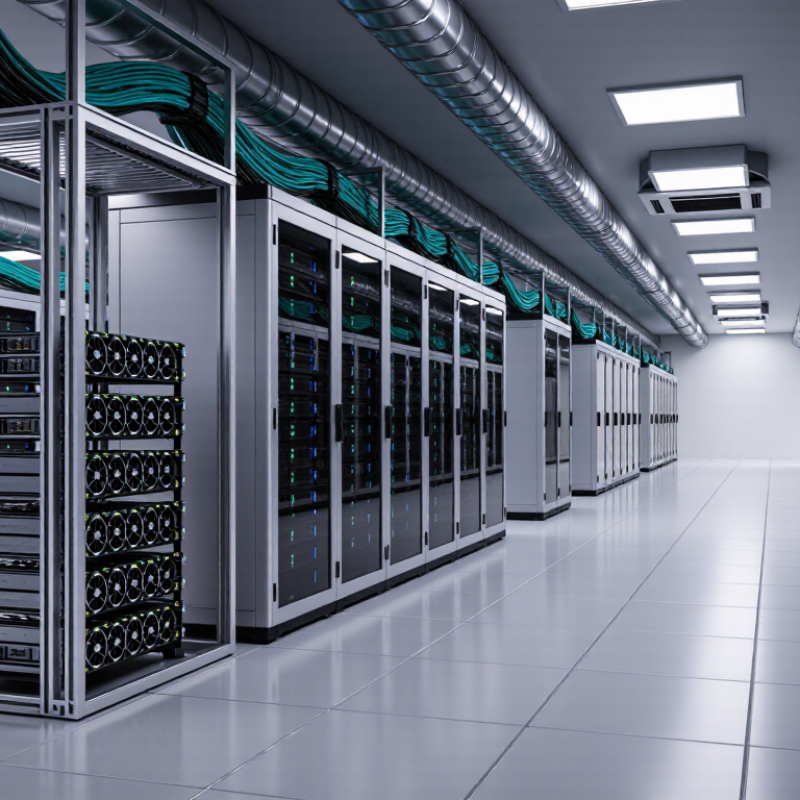
How to Choose an AI Computing Server Manufacturer?
Choosing an AI computing server manufacturer requires more than comparing processor counts. The workload defines the hardware. FP8 suits high-throughput training and inference when small numerical errors remain acceptable. FP16 offers broader stability for mixed-precision training and sensitive model layers. Test both formats with representative data, not only vendor benchmarks. Results can change sharply between image, language, and recommendation models.
Memory capacity determines whether a model fits without costly offloading. Estimate model weights, optimizer states, activations, and batch growth. Bandwidth matters when GPUs exchange gradients or repeatedly access large datasets. A server with enough memory but weak bandwidth may still leave accelerators waiting. That detail is easy to miss.
Tips: Measure real tensors before selecting a configuration. Run a short workload at several batch sizes. Record throughput, memory usage, temperature, and failure rates. Ask the manufacturer for sustained bandwidth figures, firmware support, and diagnostic procedures. Check power delivery and cooling under continuous load. Peak specifications can look impressive. They can also mislead. In practical testing, I have seen a lower theoretical system deliver steadier performance because its memory traffic was better balanced. That experience makes me cautious about simple specification tables. Choose a supplier that explains limitations clearly and provides reproducible test methods.
Define AI workloads using FP8, FP16, memory capacity, and memory bandwidth.
Planning baseline: FP8 uses 1 byte per parameter and FP16 uses 2 bytes per parameter. Memory capacity includes a 20% allowance above model-weight storage and excludes KV-cache growth. The bandwidth figures are theoretical minimums calculated as model size × target token rate: 7B models at 100 tokens/s and 70B models at 20 tokens/s. Actual systems require additional bandwidth for runtime overhead, cache traffic, and utilization losses.
How to Choose an AI Computing Server Manufacturer?
Choosing an AI computing server manufacturer starts with accelerator evidence, not glossy peak numbers. Ask for measured throughput under your real model, batch size, and precision. An accelerator may look powerful alone, yet perform poorly when memory movement becomes the bottleneck. Check memory capacity, bandwidth, thermal limits, and software support together. These details often decide whether training remains stable during long workloads.
A 400-Gb/s interconnect can change cluster behavior significantly. It supports faster parameter exchange and reduces waiting between servers. However, port speed alone proves little. Request tests using the intended topology, collective communication patterns, and node count. Examine latency, packet loss, congestion control, and link utilization. A well-designed fabric should maintain predictable performance when many accelerators communicate simultaneously. Short tests can hide painful bottlenecks.
The manufacturer should explain its network architecture clearly. Look for validated configurations, firmware control, cooling data, and replacement procedures. Ask whether the system supports direct accelerator communication without unnecessary CPU transfers. Also compare power draw per useful training step, not only performance per server. A practical lesson from cluster testing is that integration quality often matters more than one exceptional component. My early estimates also ignored cable routing and service access. That mistake was expensive in time. Leave room for imperfect scaling, because real clusters rarely match laboratory results.
| Evaluation Dimension | Entry AI Accelerator Class | Mainstream AI Accelerator Class | High-Memory AI Accelerator Class | Server Manufacturer Selection Point |
|---|---|---|---|---|
| Typical memory capacity | 16–24 GB device memory | 40–80 GB device memory | 80–192 GB device memory | Confirm support for the required model size, tensor parallelism, checkpoint loading, and batch size. |
| High-bandwidth memory bandwidth | Approximately 0.5–1.0 TB/s | Approximately 1.0–3.5 TB/s | Approximately 2.5–8.0 TB/s | Check whether the server can sustain memory bandwidth under real training workloads rather than relying only on peak specifications. |
| Typical low-precision AI performance | Suitable for inference, fine-tuning, and small models | Suitable for mixed-precision training and medium-to-large inference workloads | Designed for large-model training, high-throughput inference, and memory-intensive workloads | Request measured performance using the intended framework, precision mode, sequence length, and batch size. |
| Host interface | PCIe Gen4 ×16: about 31.5 GB/s per direction | PCIe Gen4 ×16 or PCIe Gen5 ×16: about 31.5 or 63 GB/s per direction | PCIe Gen5 ×16: about 63 GB/s per direction, depending on platform design | Verify slot generation, lane allocation, switch topology, and whether all accelerators receive full-bandwidth links. |
| Intra-server accelerator communication | PCIe peer-to-peer communication | PCIe peer-to-peer or dedicated high-speed accelerator links | Dedicated high-speed links are preferred for multi-accelerator training | Ask for topology diagrams and measured all-reduce bandwidth between every accelerator pair. |
| 400-Gb/s network line rate | Usually unnecessary for a small inference node | Recommended for distributed training and storage-intensive workflows | Strongly recommended for multi-node large-model training | A 400-Gb/s port provides 400 gigabits/s, equal to 50 GB/s of raw line-rate data in one direction before protocol overhead. |
| 400-Gb/s bidirectional capacity | One port may be excessive unless shared by storage and compute traffic | One port per server can support moderate cluster growth | Two or more ports may be required for large-scale training and redundant paths | The nominal full-duplex capacity is 400 Gb/s in each direction; validate usable application throughput after encoding, transport, and congestion overhead. |
| RDMA capability | Optional for small-scale inference | Recommended for distributed training | Essential for reducing CPU involvement and communication latency | Confirm end-to-end RDMA support across adapters, firmware, operating system, drivers, switches, and cluster software. |
| Network traffic control | Standard Ethernet flow control may be sufficient | Priority flow control and explicit congestion notification are recommended | Lossless or congestion-managed fabric configuration is required for consistent scaling | Require a validated switch configuration, congestion policy, buffer design, and packet-loss test results. |
| Power envelope | Approximately 75–250 W per accelerator | Approximately 250–500 W per accelerator | Approximately 400–800 W per accelerator | Check power distribution, connector availability, rack density, cooling capacity, and sustained—not short-term—power draw. |
| Cooling requirement | Air cooling is commonly sufficient | High-capacity air cooling or hybrid cooling may be required | Direct liquid cooling is often preferred at high rack density | Select a manufacturer with documented thermal design power, airflow testing, and liquid-cooling service capability. |
| Cluster scaling indicator | Best for one to four accelerators or low-cost inference pools | Best for four to sixteen accelerators and moderate distributed workloads | Best for multi-node training where communication and memory capacity dominate | Compare performance per watt, usable memory per rack, network bisection bandwidth, and expansion cost. |
| Acceptance test recommendation | Inference latency, tokens per second, and power draw | Training throughput, GPU utilization, and network throughput | Scaling efficiency, all-reduce bandwidth, checkpoint time, and thermal stability | Require reproducible benchmark scripts, 400-Gb/s port validation, failure recovery testing, and complete firmware documentation. |
When evaluating an AI server manufacturer, inspect the design around its GPUs, not only the processor list. An 80-GB GPU needs sufficient memory bandwidth, stable PCIe connectivity, and strong airflow. Four or eight accelerators can create a dense heat zone inside the chassis. That heat must move away quickly. A 700-W TDP also places serious demands on power supplies, cables, circuit protection, and rack distribution. Ask whether the manufacturer validates these parts under sustained workloads, not brief demonstrations.
A practical review should include thermal maps, fan curves, power limits, and measured noise levels. Check the clearance around each GPU and the position of intake filters. One overlooked cable can restrict airflow. I have seen attractive specifications fail during long training jobs. The warning signs were rising temperatures and unexpected frequency reductions. Request burn-in results, firmware update procedures, component compatibility lists, and clear service response terms. Reliable vendors explain testing methods and limitations instead of promising perfect performance.
Tips: Ask for a full-load test using your intended model size. Confirm that every GPU maintains stable clocks for several hours. Measure rack power before installation. Leave electrical and thermal headroom. A smaller configuration may perform better than an overloaded design. Reflect carefully here. More GPUs do not automatically mean more useful computing.
How to Choose an AI Computing Server Manufacturer?
Verify ISO 9001, ISO 14001, Warranty, Support, and SLA Capabilities
Choosing an AI computing server manufacturer requires more than comparing processor speeds. Request current ISO 9001 and ISO 14001 certificates. Check the certification scope, issuing body, site address, and expiry date. A certificate alone is not proof of consistent production quality. Ask how inspection records, corrective actions, and environmental controls affect your server order. Look closely.
Warranty terms should identify coverage periods, excluded components, shipping responsibilities, and replacement procedures. Confirm whether accelerators, power supplies, cooling units, and storage devices receive equal protection. Ask for the expected turnaround time for failed parts. Vague promises create expensive delays. Keep it written.
Support capability becomes critical during model training or inference workloads. Request named escalation levels, support hours, remote diagnostic methods, and spare-parts locations. A strong SLA should define uptime, response time, resolution targets, maintenance notices, and service credits. Check how outages caused by software, networking, or customer changes are treated. I once accepted a broad “24/7 support” statement without asking about engineer availability; that assumption was too generous. Require sample tickets, maintenance records, or customer references where possible. Measure commitments against your actual workload, not a polished sales document.
A three-year TCO model should start with measured power, not a brochure’s peak performance. The International Energy Agency reported that data centers consumed about 415 TWh globally in 2024. It expects demand to approach 945 TWh by 2030. Even small efficiency gaps can become expensive. The Uptime Institute’s 2024 Global Data Center Survey reported an average PUE of 1.56. Multiply each server’s measured kilowatts by operating hours, electricity price, and PUE. Then add cooling and infrastructure costs. Use workload-based tests, because idle power can distort the result.
A three-year TCO model should start with measured power, not a brochure’s peak performance.
Maintenance needs a separate line. Record warranty length, response time, replacement rates, and technician coverage. A useful model includes planned maintenance, emergency labor, spare parts, and downtime losses. For example, a two-hour replacement delay may cost more than the failed component. Ask for historical failure data under comparable workloads. Vendor averages are not enough. My first spreadsheet ignored firmware labor. That was a costly assumption.
Supply performance also changes TCO.
Track quoted lead time, actual delivery time, order fill rate, and spare-part availability. Require evidence from recent purchase orders, not promises. A practical procurement target might be 95% on-time delivery and local spares for critical nodes. The World Semiconductor Trade Statistics forecasts and industry supply reports can inform broader component trends, but they cannot predict every shipment. Calculate three scenarios: contracted, delayed, and constrained supply. The imperfect case is often the most useful. Choose the manufacturer whose service evidence survives all three.
FP8 supports high-throughput training and inference when small numerical errors are acceptable. FP16 offers broader stability for sensitive model layers. Test both formats with representative data. Results can differ across image, language, and recommendation models.
Estimate model weights, optimizer states, activations, and batch growth. The model must fit without costly offloading. Measure real tensor usage before choosing a configuration. Memory capacity alone does not guarantee smooth performance.
Bandwidth affects gradient exchanges and repeated access to large datasets. Weak bandwidth can leave accelerators waiting. That detail is easy to miss. Run short tests at several batch sizes.
Record throughput, memory usage, temperature, and failure rates. Test sustained workloads, not only peak specifications. Ask for reproducible test methods. Peak numbers can mislead.
Request current quality and environmental management certificates. Check the certification scope, issuing body, site address, and expiry date. A certificate alone does not prove consistent production quality. Look closely.
Confirm coverage periods, excluded components, shipping duties, and replacement procedures. Check protection for accelerators, power supplies, cooling units, and storage devices. Ask for failed-part turnaround times. Keep it written.
Request escalation levels, support hours, remote diagnostics, and spare-parts locations. A strong agreement defines uptime, response times, resolution targets, and maintenance notices. Ask how software and network incidents are handled. Do not trust vague “always available” language.
Use measured power instead of advertised peak performance. Include electricity, cooling, infrastructure, maintenance, spare parts, labor, and downtime. Track quoted and actual delivery times. Model contracted, delayed, and constrained supply scenarios. The imperfect case matters.
Check power delivery and cooling under continuous workload. Idle power can distort the financial picture. A two-hour replacement delay may cost more than the failed part. I once ignored firmware labor. That assumption was costly.
Choosing the right ai computing server manufacturer requires more than comparing processor specifications. Start by defining your workloads through FP8 and FP16 performance, memory capacity, and bandwidth requirements. Then evaluate accelerator options, system compatibility, and 400-Gb/s interconnects to determine whether the platform can scale efficiently as model size and cluster demand increase. Server design should also be assessed carefully, especially when supporting 80-GB GPUs and configurations reaching 700-W TDP. Cooling, power delivery, rack density, and upgrade flexibility are essential for reliable operation.
A strong supplier should provide verifiable ISO 9001 and ISO 14001 certifications, transparent warranty terms, responsive technical support, and clearly defined service-level agreements. Finally, calculate the three-year total cost of ownership by including energy consumption, maintenance, spare parts, deployment requirements, and supply continuity. A balanced decision combines measurable performance, dependable service, scalable architecture, and predictable long-term operating costs.

Aiserver Manufacturer